
StackPilot
Pilot your local dev stack.
Every project, every port, every database — seen and controlled from one free Mac app.
Your Mac runs a stack you
can't see.
Ghost servers
A dev server started in a Terminal tab you closed hours ago — still holding port 3000.
Two Postgres
One in Docker, one in Herd. Different versions, different ports. Which one does the app use?
Version drift
The project needs Node 24 and PHP 8.2 — your shell says 22 and 8.4.
Invisible workers
Queues and builds started by AI coding tools and editors, running in the background.
StackPilot02Six tools and a lot of memory.
Answering "what's running and why is port 3000 busy?" means stitching together lsof, ps, docker ps, brew services, .env files and guesswork — every single day.
StackPilot03One cockpit for your whole local stack.
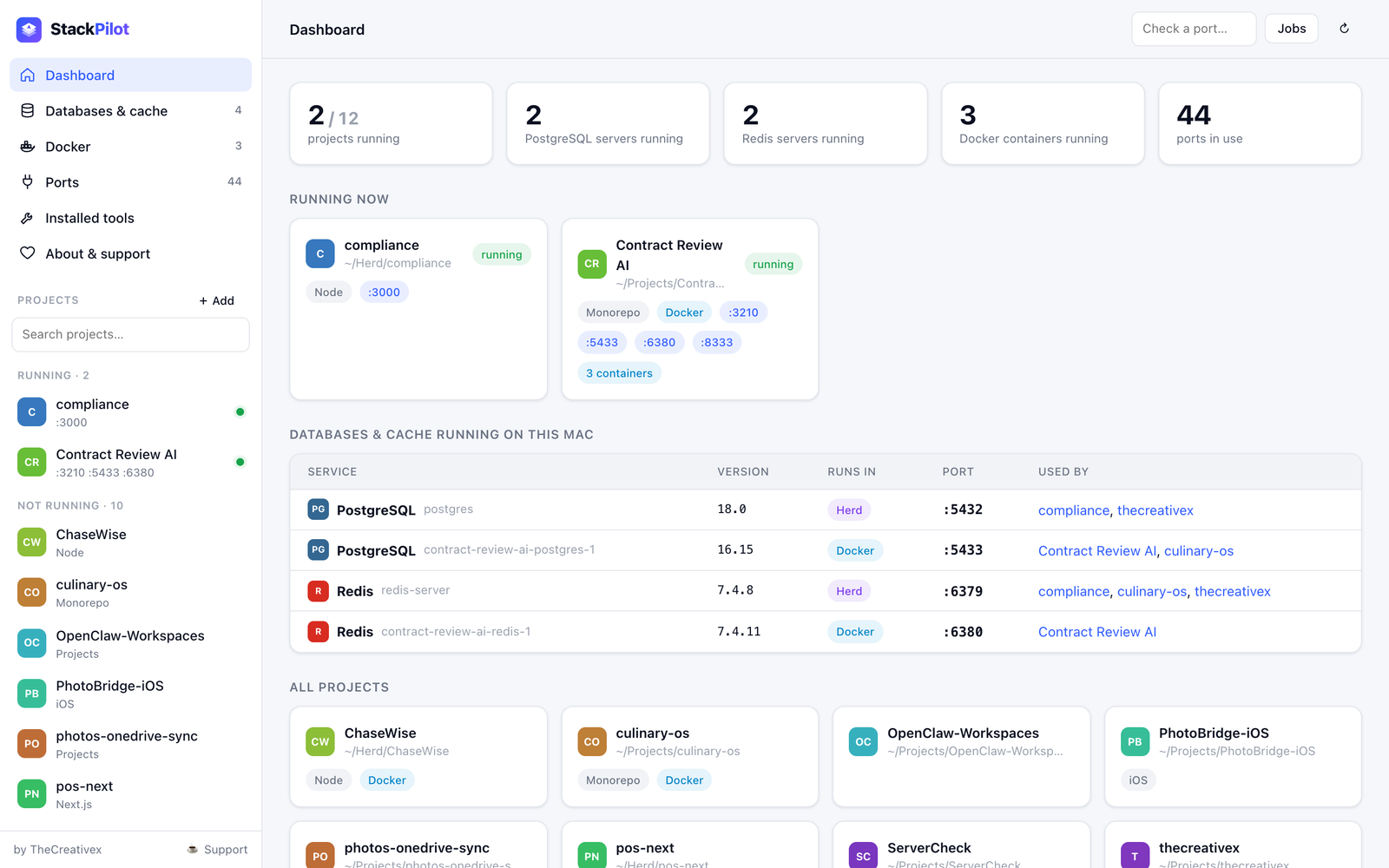
StackPilot understands projects, not just processes — what runs, where, on which versions — and puts the fix next to every finding.
 StackPilot04
See it. Control it. Fix it.
See everything
Every process from a project folder — whoever started it: StackPilot, Terminal, VS Code, Cursor or Claude Code.
Control anything
Start with the right command in the right folder, stop whole process trees, free any port in one click.
Fix in place
Switch Node/PHP, install packages, create databases, edit containers — without leaving the project page.
StackPilot05Know your stack at a glance.
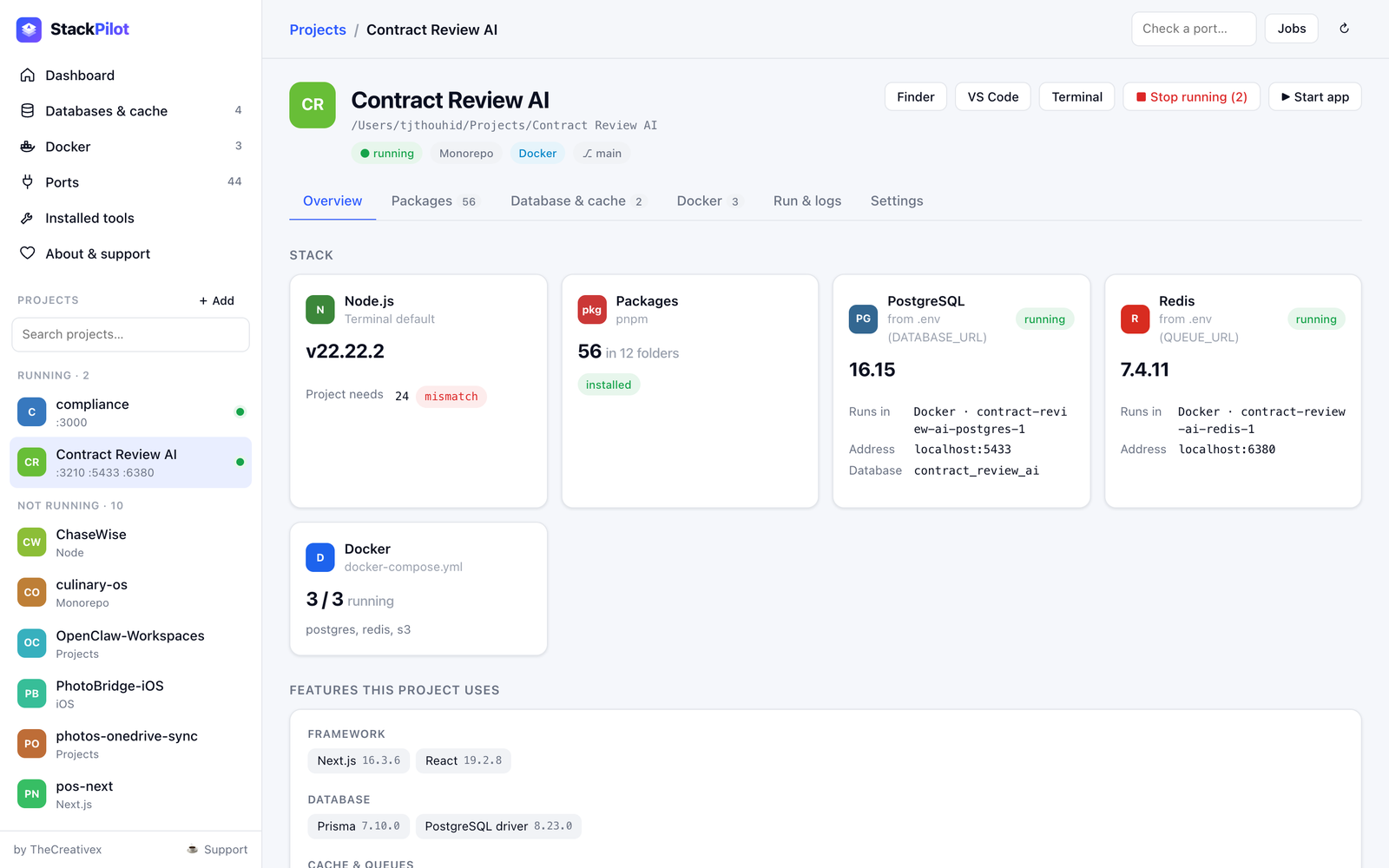
- Node & PHP in use vs. what the project requires — mismatches flagged.
- Databases & cache from .env — version, Docker / Herd / Homebrew, running or not.
- Features detected: framework, ORM, auth, queues, AI, payments, testing…
- .env with secrets hidden.
 StackPilot06
Nothing hides anymore.
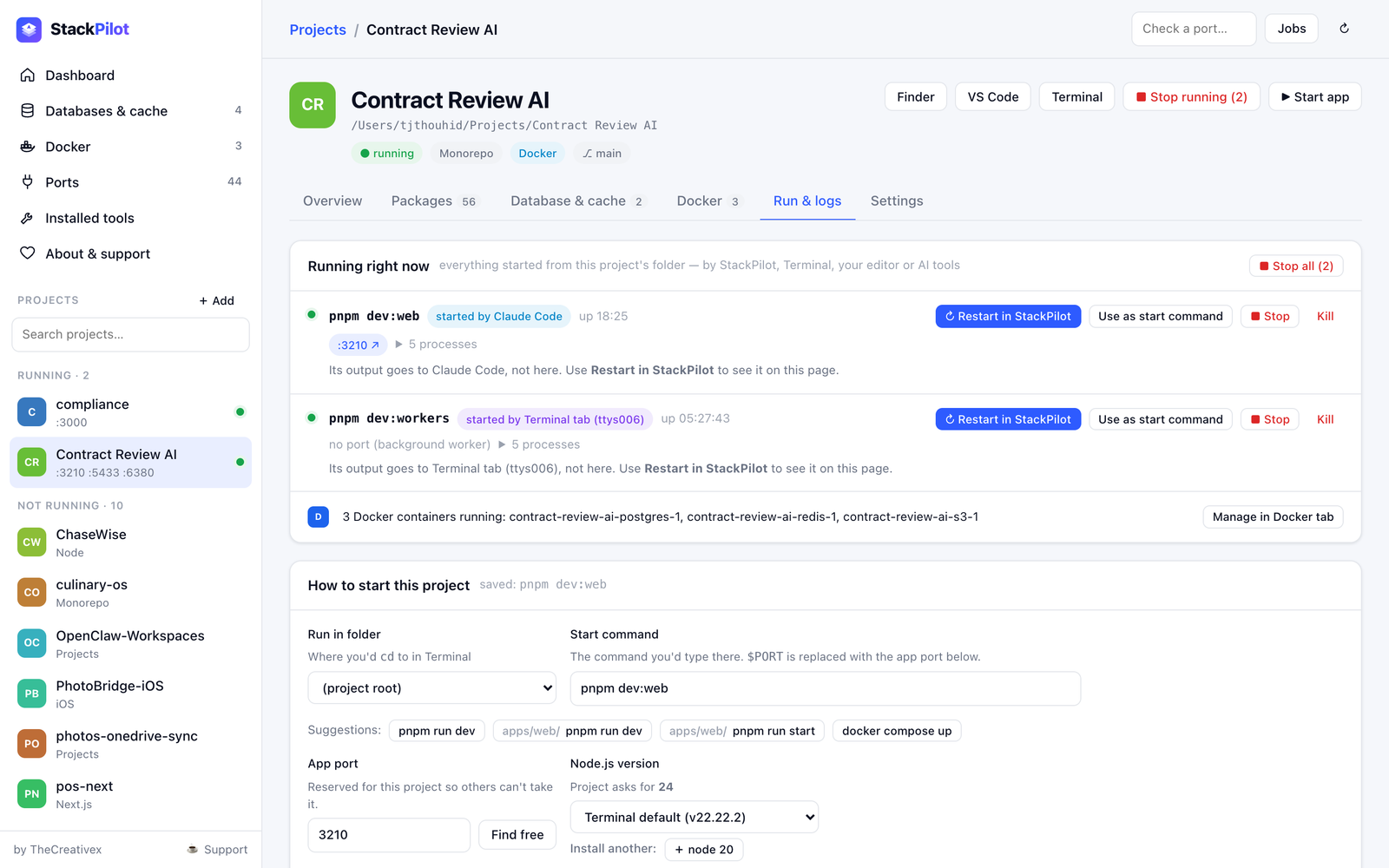
- Process trees per project — pnpm → next → workers.
- Who started it: Terminal tab, Claude Code, Cursor, VS Code or StackPilot.
- Ports, uptime, every child process.
- Stop · Kill · Restart in StackPilot · Use as start command.
 StackPilot07
The same command, the same folder —
one click.
1 · It suggests
Scripts from every package.json and composer.json, with the folder they need.
2 · You pick once
Choose run folder, command, port and the Node / PHP version for this project. Saved.
3 · Start & Stop
Runs detached with the right runtime on PATH, captures output, stops the whole tree — queue, logs and Next.js together.
StackPilot08Is my database actually up?
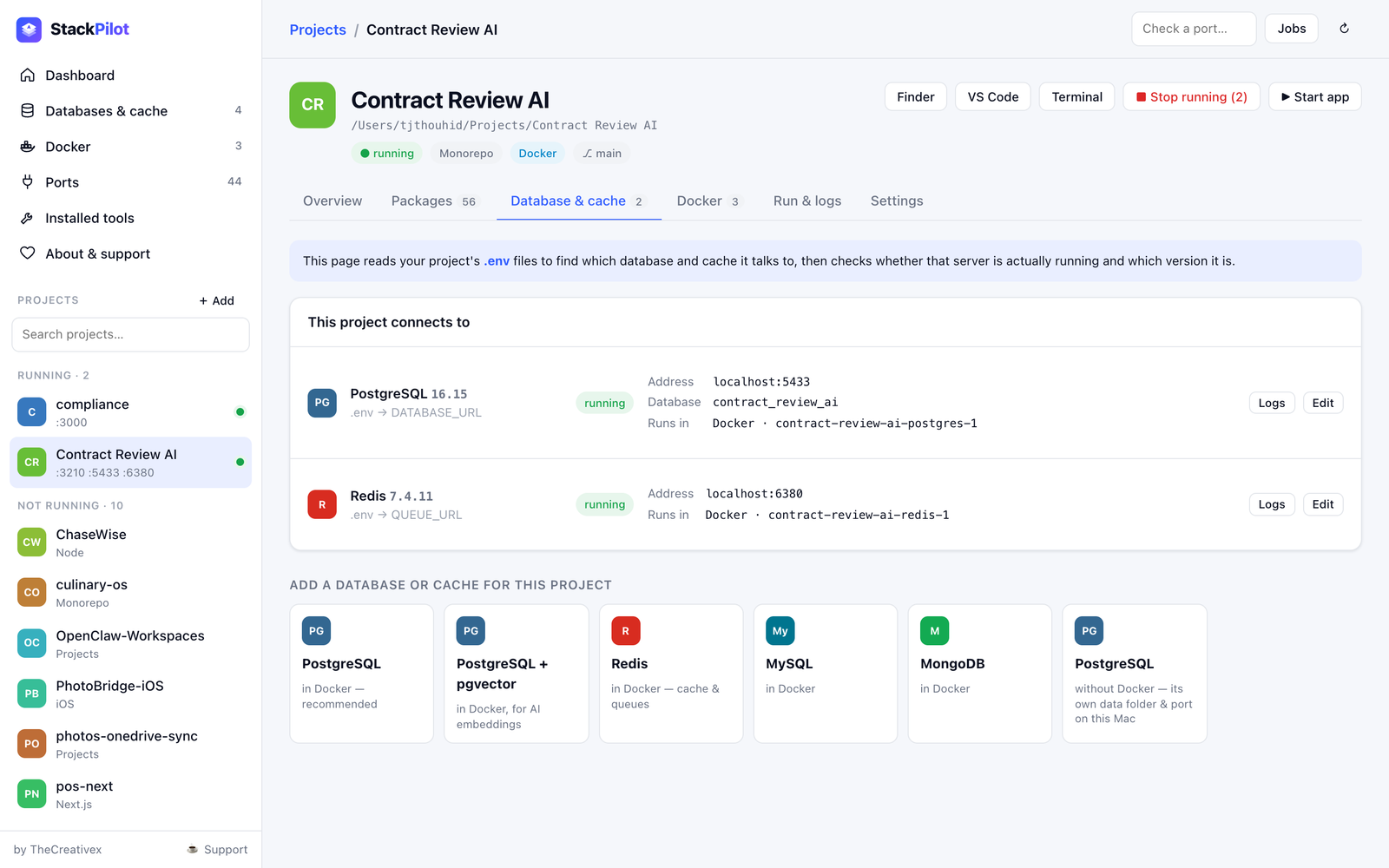
- Reads DATABASE_URL, DB_*, REDIS_*, QUEUE_URL…
- Checks the server answers — exact version and where it runs.
- One click: PostgreSQL, pgvector, Redis, MySQL, MongoDB in Docker — or Postgres without Docker.
- Copy-ready .env snippets.
 StackPilot09
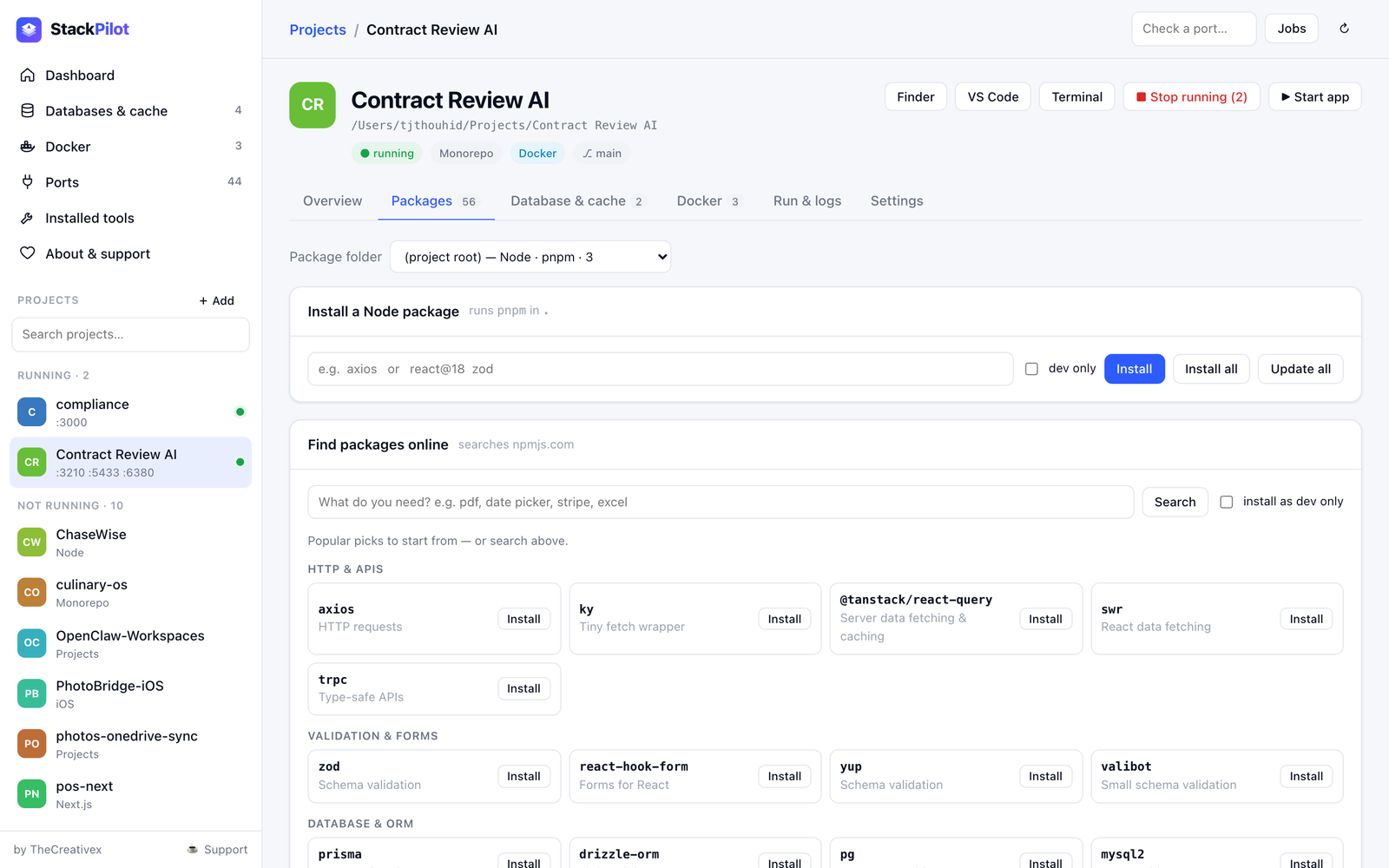
Find it, pick a version, install.
- Search npmjs.com, Packagist and PyPI — downloads & stars.
- Curated popular picks by category to start from.
- npm · pnpm · yarn · bun · Composer · pip — auto-detected per folder.
- Scripts and Laravel artisan commands in one click.
 StackPilot10
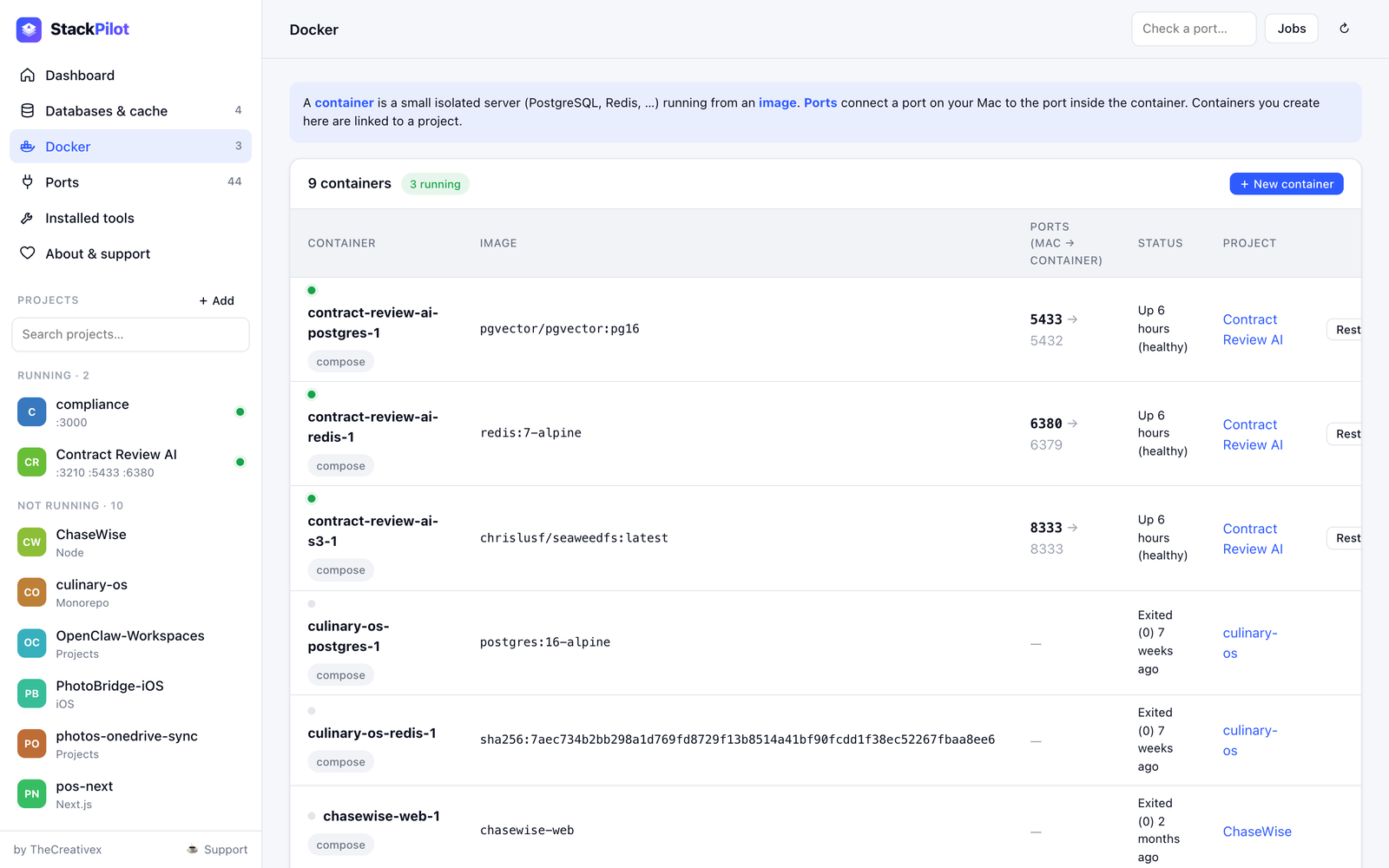
Containers in plain language.
- Compose: Up · Restart · Stop · Down · Pull.
- Templates: Postgres, Redis, MySQL, MongoDB, Mailpit, MinIO, any image.
- Safe edit: new container first, old one removed only if it starts — automatic rollback.
- Data volumes always kept.
 StackPilot11
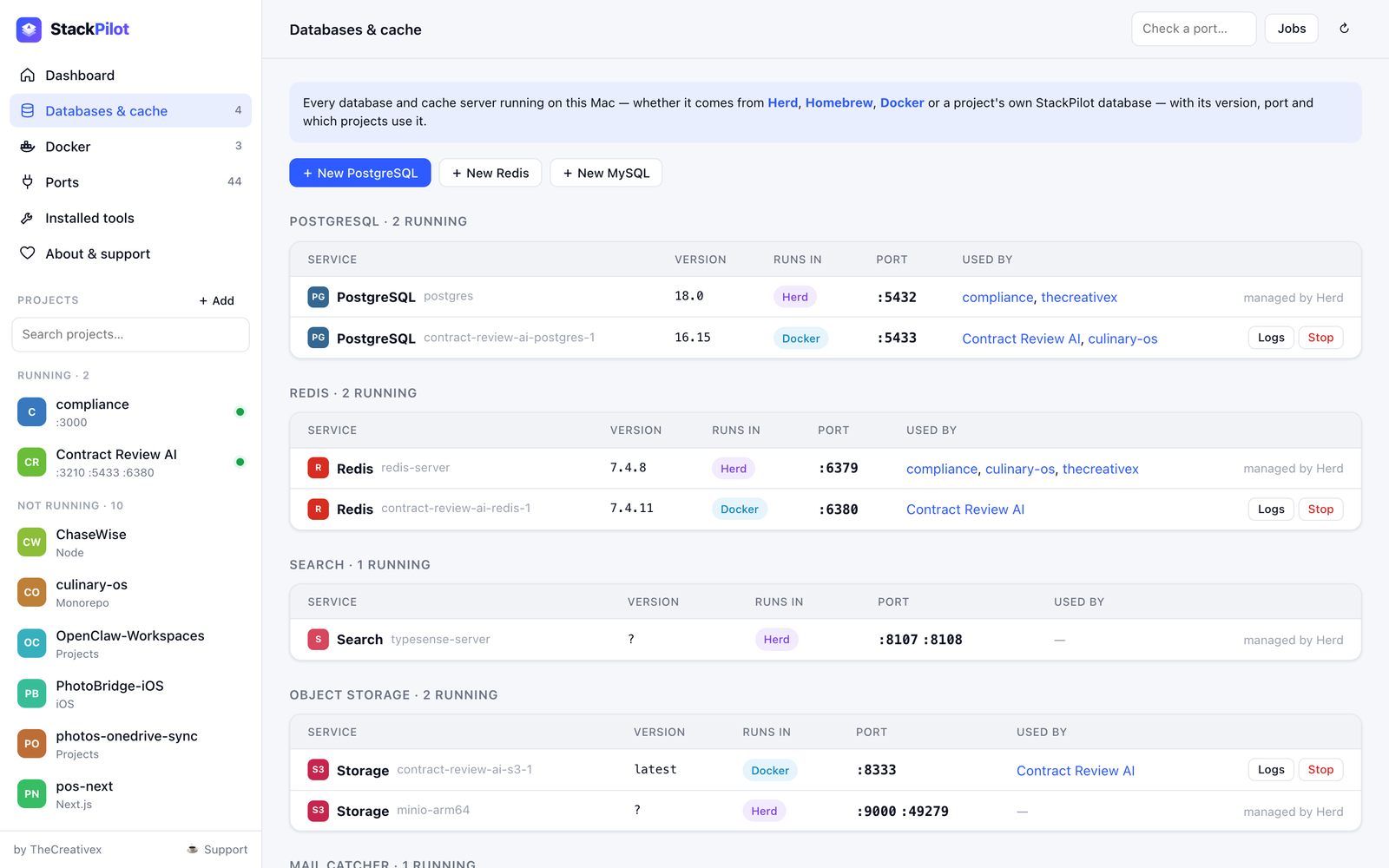
Every database. Every port. Every tool.
- Databases & cache: all Postgres/Redis/MySQL servers, versions, who uses them.
- Ports: owner, project, network exposure — free any port.
- Installed tools: Node, PHP, Postgres, Redis versions from nvm, Homebrew and Herd — install more side by side.
 StackPilot12
Native window, menu bar,
drag-to-install.
Native shell
AppKit + WebKit, standard menus & shortcuts, native dialogs, dark mode.
Menu bar
Running-project count and quick list — keeps working when the window is closed.
DMG installer
Drag to Applications. Node.js bundled on Apple Silicon — nothing else to install.
StackPilot13Small, local, dependency-free.
StackPilot14Your machine. Your data. Full stop.
- 127.0.0.1 only — unreachable from the network.
- No account, no analytics, no cloud.
- Blocks other websites & DNS-rebinding from controlling it.
- Secrets in .env masked on screen.
- Confirms every destructive action; volumes kept.
- Online only when you search or install packages.
StackPilot15The only tool that sees projects.
| StackPilot | Activity Monitor | Docker Desktop | Herd / MAMP / DBngin | Terminal | |
|---|---|---|---|---|---|
| Understands projects | ✓ | — | compose | sites | — |
| Native + Docker + Herd together | ✓ | processes | Docker | own only | manual |
| Who started a process | ✓ | — | — | — | manual |
| .env connection check + versions | ✓ | — | — | — | manual |
| Package search & install | ✓ | — | — | — | manual |
| Per-project Node / PHP | ✓ | — | — | PHP | manual |
| Price | Free | Free | Paid for teams | Freemium | Free |
StackPilot16Built for developers with many projects.
Agency & freelance
5–20 client projects on one Mac. Reserved ports, per-project runtimes, instant context.
Laravel + JS & monorepos
Composer, pnpm workspaces, queues, Redis, pgvector — understood and controlled.
Learners & juniors
Plain-language explanations of what the machine is doing — and safe controls.
StackPilot17Where StackPilot goes next.
1.0 Now
- Projects, processes, ports
- Databases & cache, Docker
- Packages & online search
- Mac app + DMG installer
1.1 Next
- Multiple named start commands
- Launch at login, crash & port alerts
- Signed & notarized installer
- Buy Me a Coffee live
2.0 Later
- Database browser
- Environment health score & auto-fix
- Shareable team presets
- Intel build, auto-updates, Windows & Linux
StackPilot18Free forever.
Fuelled by coffee.
StackPilot is free for every developer. If it saves you time, supporting it keeps new features coming.
Designs and builds web, mobile and developer products. Open to custom development, partnerships and sponsorship.
thecreativex.com · info@thecreativex.com
StackPilot19
Pilot your local dev stack.
Download StackPilot · free for macOS 13+